One receipt organizer for your inbox, camera roll, and paper pile.
The hard part is often not saving a receipt. It is finding the right one later. ReceiptNest gives photos, PDFs, and forwarded receipts a shared place, with merchant, date, amount, and category details you can review.
Up to 50 receipts on Starter. CSV export included. View plan details.
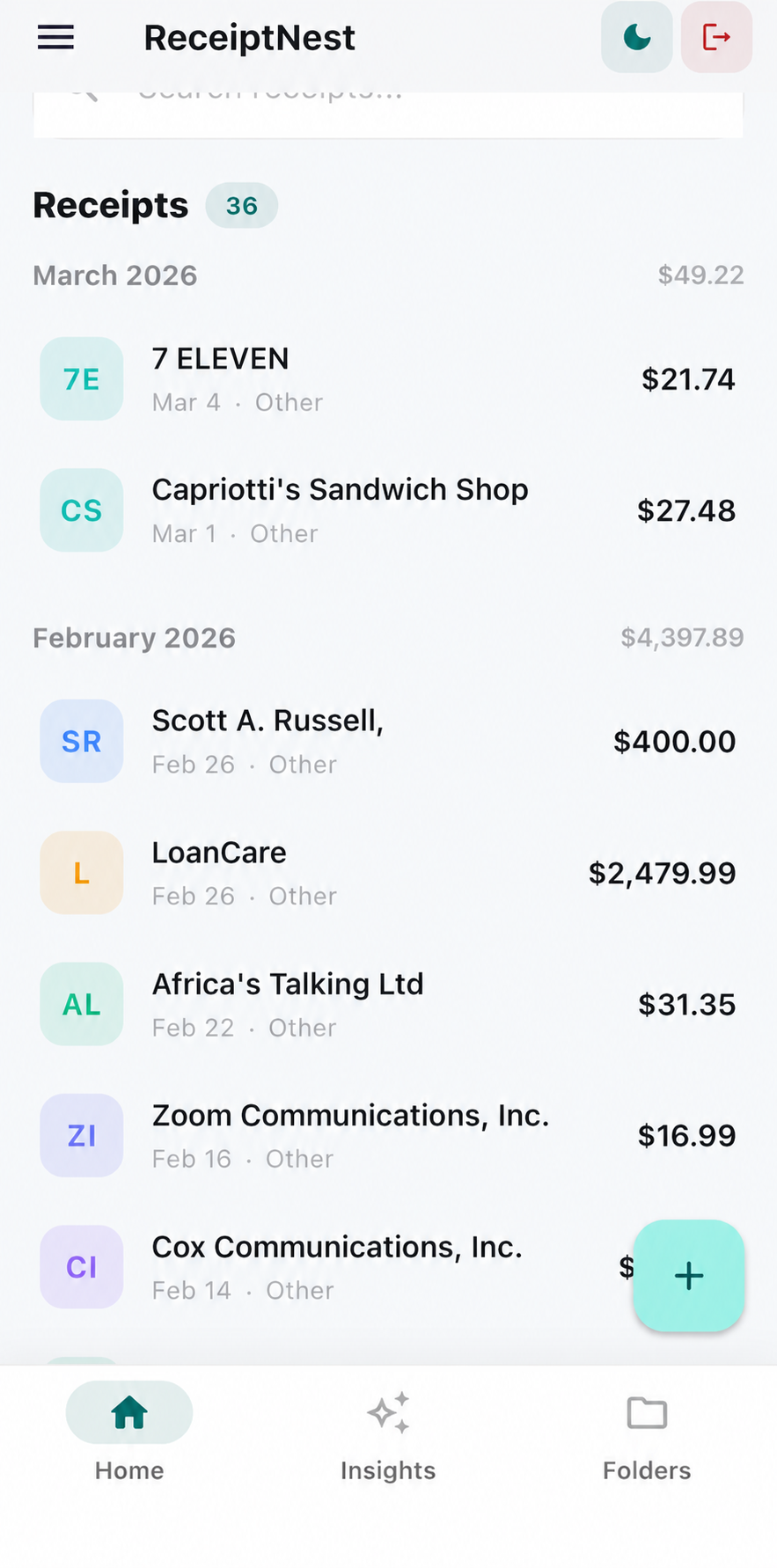
Keep the document and the useful details together.
- 01
Choose a small starting point
Begin with one month, a handful of paper receipts, or a folder of downloaded PDFs. Upload receipt files and forward the emails you want to retain. You do not need to clear your entire backlog before the organizer becomes useful.
- 02
Check the details that make records findable
Review the merchant, receipt date, amount, and category after processing. An incorrect date can place a receipt in the wrong month; a vague merchant name can make it harder to recognize later.
- 03
Use the record when the question comes
Find the original for a purchase query or review a category at month-end. Export records when another person needs a spreadsheet. Keep any additional documents that establish payment, business purpose, or other context.
From scattered file to useful record
Examples of where receipt organization helps.
| Where it starts | Why it is hard to find | A useful habit |
|---|---|---|
| Camera roll | Photos mixed with everything else | Upload the receipt soon after purchase |
| Email inbox | Merchant messages use different subjects | Forward the receipt to your account |
| Downloads folder | PDF names are not descriptive | Review merchant and date after upload |
Email forwarding is a deliberate action. ReceiptNest does not need access to your entire inbox for this workflow.
How this differs from a cloud folder
A cloud folder is a good place to store documents. A receipt organizer adds structured purchase details and receipt-focused views. If you already have a reliable folder system and only a few receipts, you may not need another app.
Keep originals, not just totals
A row in a spreadsheet does not contain everything on an itemized receipt. Preserve the original document and relevant supporting records. For a return or warranty, check the retailer's requirements; keeping a receipt is not a guarantee of acceptance.
ReceiptNest is receipt-organization software, not tax or accounting advice. Review important details against your original records.
Before you choose
Can I organize PDF and photo receipts together?
Yes. Receipt photos, uploaded PDFs, and forwarded receipts appear within the same receipt workflow rather than separate filing systems.
Can this replace Google Drive or another backup?
ReceiptNest adds receipt-specific organization. Keep any backups your business or recordkeeping policy requires, and check what each export includes before relying on it as a complete archive.
Do I have to rename every file?
No. Organization uses the receipt details rather than depending on a filename. Review those details after extraction so the record is filed usefully.
Does organizing receipts automatically identify deductions?
No. Categories help review your records, but they are not a determination of business purpose or deductibility.
Take the next useful step
Try it with a receipt of your own.
Start with a few records, check the results, and see whether the workflow fits. Up to 50 receipts on Starter.
Start free on the webCompare plans