How to Keep Track of Receipts All Year: The 10-Second, 2-Minutes-a-Month System
What did you have for lunch three Tuesdays ago? That is the April problem. The fix is not a big weekend of sorting. It is 10 seconds the day you buy and 2 minutes once a month.
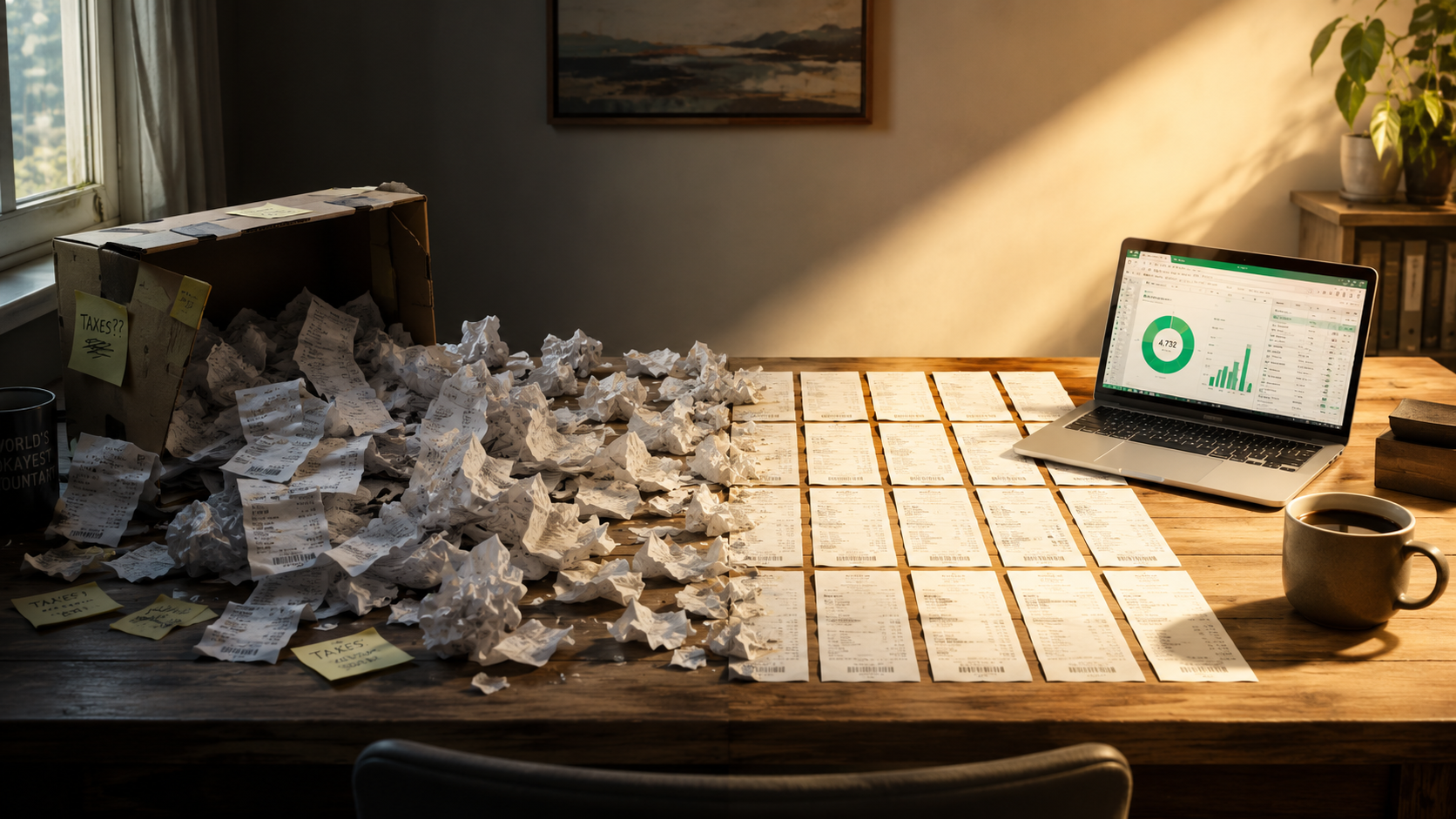
Quick question: what did you have for lunch three Tuesdays ago? Most people have no idea. Now imagine answering that for every purchase you made last year. That's the April problem, and it's why "I'll sort it out later" turns into a lost weekend with a shoebox and a bank statement.
The best way to keep track of receipts is to never let them pile up: capture each receipt the day you get it (about 10 seconds), keep every receipt in one place, add a word about why you bought it, and spend 2 minutes once a month checking the month against your bank statement. For a typical self-employed person that adds up to roughly an hour a year. This guide walks through the whole system, works with an app or a simple folder, and shows exactly what to do with paper, email and online receipts.
The short answer: a receipt system in four habits
| Habit | When | Time | What you do |
|---|---|---|---|
| Capture | The day you buy | About 10 seconds | Photograph the paper receipt or save the email receipt before it gets lost or fades |
| Note why | At capture | A few seconds | Add a word or two: the client, the job, or what it was for |
| One place | Always | Set up once | Every receipt, paper or digital, goes to the same app or folder, organized by month |
| Monthly check | Once a month | About 2 minutes | Compare the month with your bank or card statement and chase anything missing |
Why this works
Every step happens while the receipt is still in your hand and the purchase is still in your memory. The work that makes April painful, guessing and reconstructing, never has to happen.
Why "I’ll sort it out later" never works
Later has a name, and it's usually April. By then, three things have gone wrong at once.
- The receipts are scattered: the truck, the coat pocket, three email inboxes, Amazon, Etsy, app stores and a shoebox.
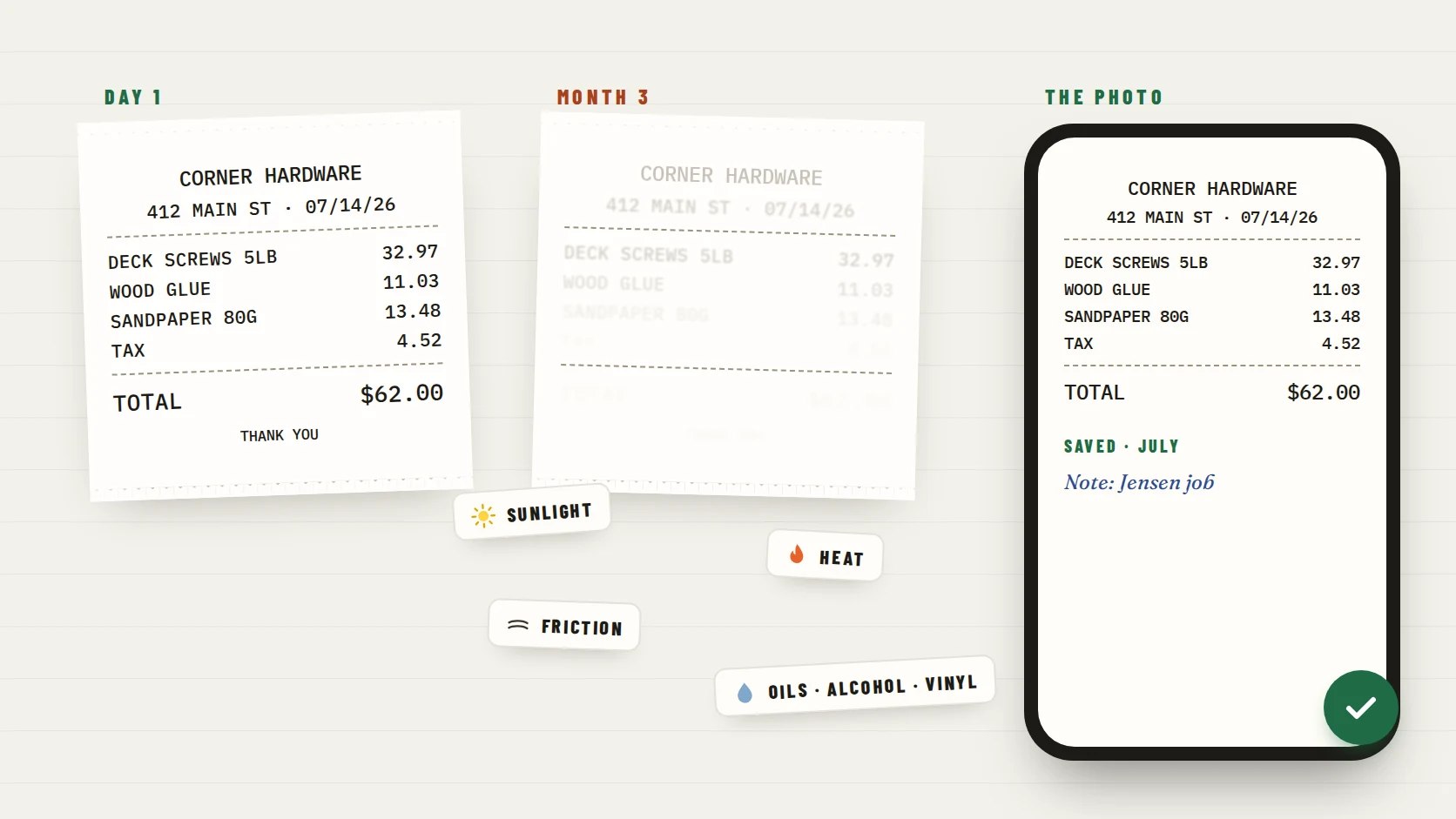
- The paper ones are fading. Most receipts are thermal paper, which loses its print with heat, light and friction.
- Your memory is gone. A statement line like "SQ *JMK LLC 86.40" shows who you paid and how much, but not what you bought or why.
So April becomes archaeology: hours with a bank statement, guessing what each charge was. And the charges nobody can explain tend to get skipped entirely. A system that captures receipts as they happen avoids all three problems.
Step 1: Capture every receipt the day you get it
The single most important habit is capturing the receipt before it leaves your hand or your inbox. Different receipts need slightly different moves.
| Receipt type | The 10-second move |
|---|---|
| Paper receipt at a store | Photograph it at the counter or in the car, before it goes in a pocket or the glovebox |
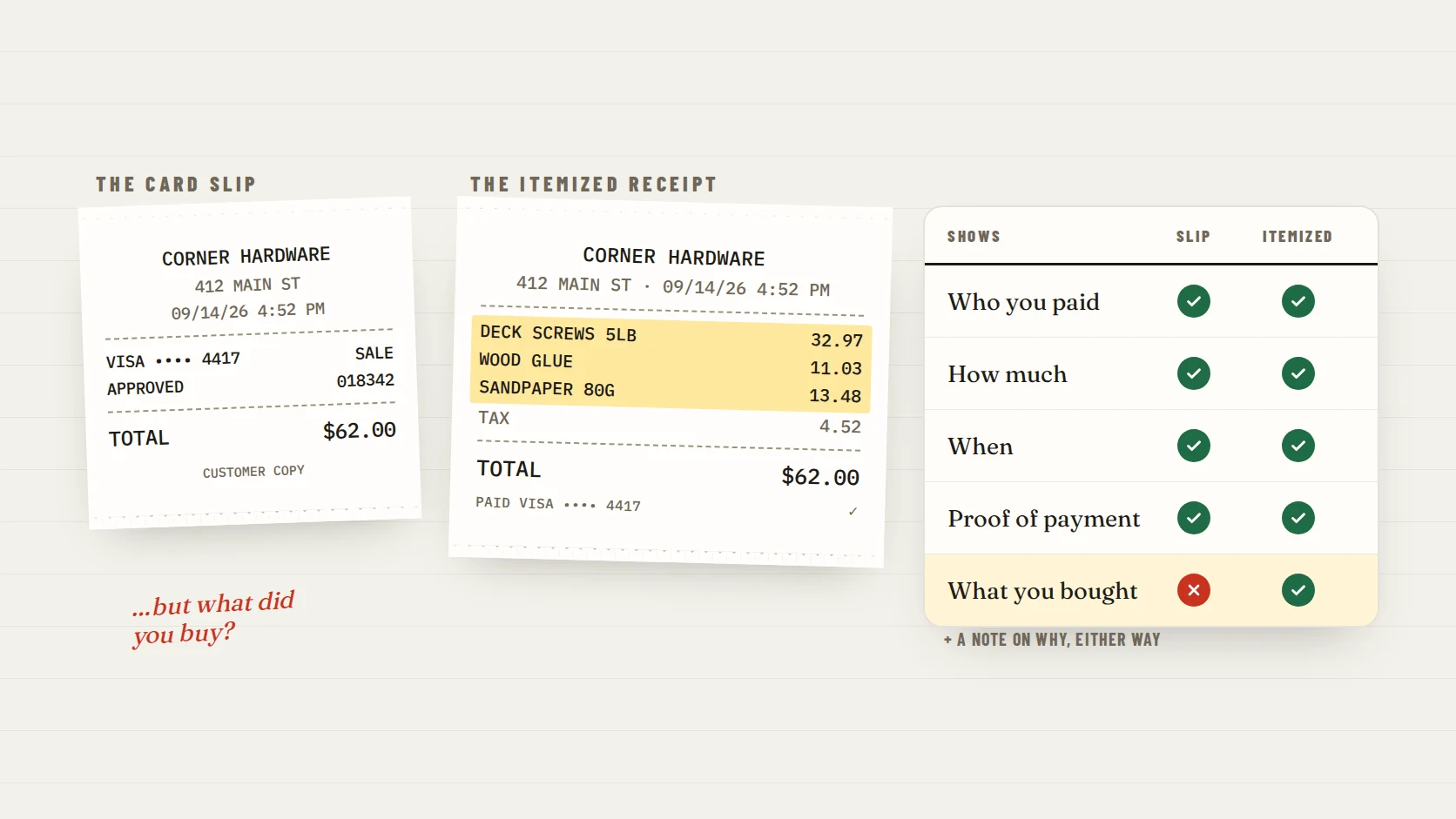
| Restaurant | Ask for the itemized check, photograph it with the card slip, and note who was there |
| Email receipt | Forward it to your receipt app, or move it into one "Receipts" folder or label |
| Online order | Save the order-confirmation email or the order-details page; it is usually fully itemized |
| Subscription or recurring bill | Save the first invoice and note that it repeats, then capture each renewal email |
| Supplier or contractor | Ask for an itemized invoice and save it the day it arrives |
| Purchase with no receipt | Write a quick note right away: date, amount, who you paid and what it was for |
Take a usable photo
Lay the receipt flat, fill the frame from the store name to the total, and check that the date, items and total are sharp. A blurry photo is only slightly better than a faded receipt.
Step 2: Keep every receipt in one place, by month
A receipt you can't find is almost as bad as one you never kept. Pick one home for every receipt, paper or digital, and organize it by month. Month is the simplest structure because it matches your bank statements and how many bookkeepers review records.
- With a receipt app: everything you snap or forward lands in one place and is grouped by month automatically.
- With cloud folders: create one folder per month (for example 2026-10) and name files with the date, store and amount, such as 2026-10-14 Corner Hardware 62.00.jpg.
- With email: one "Receipts" folder or label, and a filter that catches common receipt senders.
- With paper you decide to keep: one envelope per month, filed flat somewhere cool and dark, after you have photographed it.
Avoid the "five homes" trap
Receipts split across a camera roll, two inboxes, a drawer and a store account are not organized, just stored. One home is the rule that makes the monthly check possible.
Step 3: Add a word about why
The receipt shows what you bought. It never shows why. A one-line note, added at capture, answers the question your accountant or future you will ask: what was this for?
| Receipt | A useful note |
|---|---|
| Corner Hardware, $62.00 | Deck screws and glue, Jensen job |
| Cafe, $38.50 | Lunch with new client Dana, kitchen remodel |
| Print shop, $27.40 | Flyers for the fall market |
| Gas station, $48.10 | Site visits, Tuesday |
For business records, IRS guidance says supporting documents should describe what was bought and show that it was for the business. A short note made at the time is far easier than reconstructing the purpose months later.
Step 4: The 2-minute monthly check
Once a month, pick a fixed day, like the first Sunday. Open last month's bank and card statements next to your receipts and run this quick check.
- 01Go down the statement and tick each business charge that has a receipt saved.
- 02Flag any business charge without a receipt.
- 03Chase the flagged ones while they are fresh: search your email for the amount, check the store’s receipt lookup, or ask the seller to resend it.
- 04If a receipt is truly gone, save the statement line with a note on what it was and why.
- 05Mark personal charges as personal and move on. That is the whole review.
| Fictional statement line | Receipt saved? | Action |
|---|---|---|
| 09/03 SHELL OIL 5521 −48.10 | Yes | Done |
| 09/08 CAFE ROMA −38.50 | Yes | Done |
| 09/14 CORNER HDWR #212 −62.00 | Yes | Done |
| 09/19 SQ *PRINT SHOP −27.40 | No | Found the emailed receipt by searching "27.40" |
| 09/26 ADOBE *CREATIVE −22.99 | Yes | Done |
Why monthly, not yearly
A month-old charge is easy to explain and its receipt is usually still findable. A year-old one often isn’t. Small and steady beats big and late.
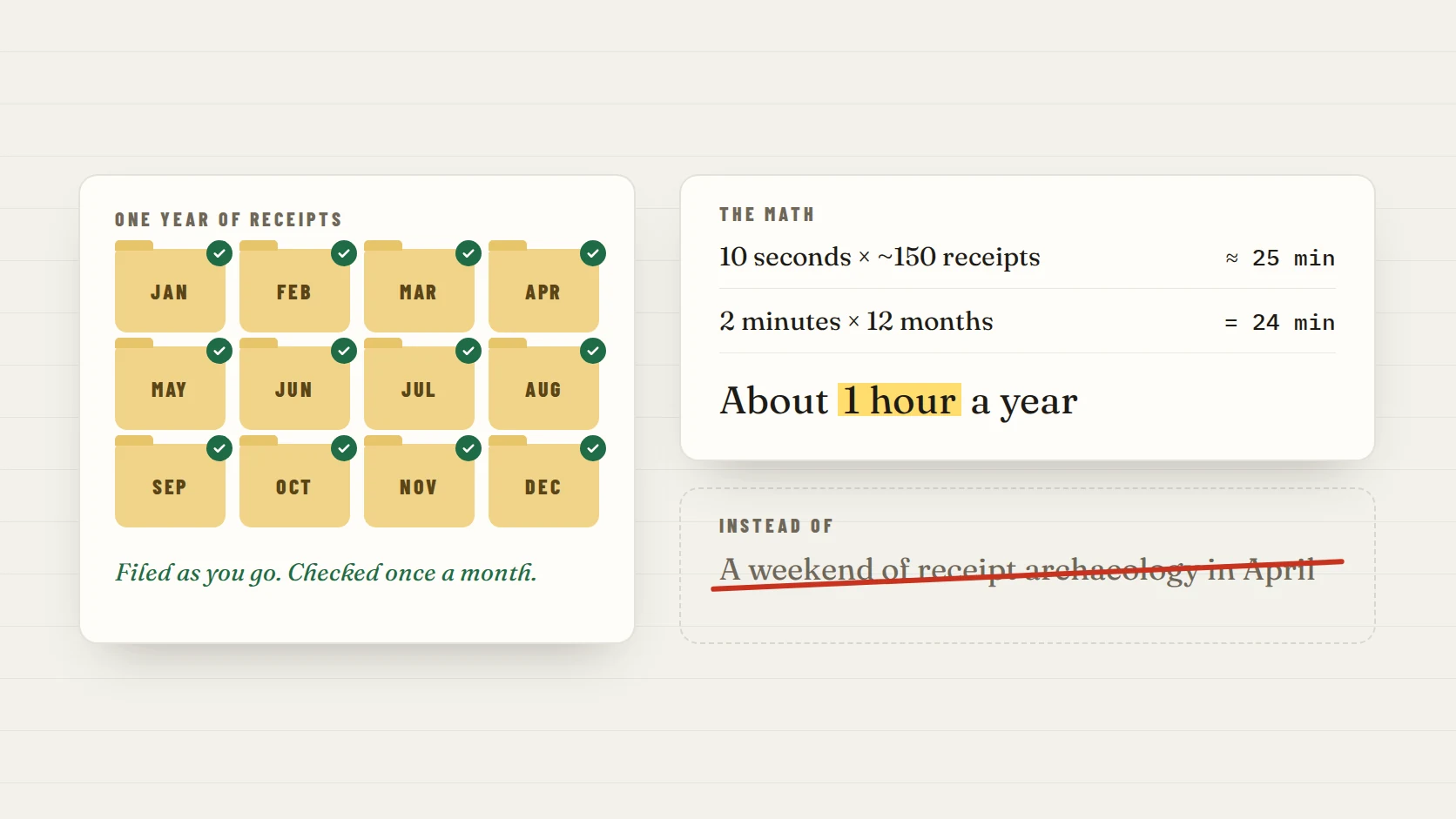
The math: about an hour a year
| Habit | Estimate | Time per year |
|---|---|---|
| Capture and note each receipt | 10 seconds × about 150 receipts | About 25 minutes |
| Monthly check | 2 minutes × 12 months | 24 minutes |
| Total | About 1 hour, spread across the year |
Your numbers will vary with how many receipts you have, and some monthly checks take longer than two minutes. That's fine. The point is that the work is small, steady and done while it's easy, instead of a weekend of archaeology in April.
At tax time: export, hand off, keep
- Export the year: a CSV or PDF summary by month, plus the receipt images. If your accountant has a preferred format, ask first.
- Send the short list of anything you couldn’t resolve, instead of guessing.
- Keep the records. The IRS generally expects records to be kept for three years after you file, and longer in some situations, so don’t delete the year once it’s filed.
- The IRS says the same requirements apply to electronic records as to paper ones, so clear, complete photos you can find are what make the hand-off easy.
When the system has been running all year, April isn't a dig. It's a download.
Which tool should you use to track receipts?
| Tool | Good for | Watch out for |
|---|---|---|
| Envelopes or a folder | Very few receipts; people who prefer paper | Fading, no search, easy to lose; photograph them anyway |
| Spreadsheet | Totals and categories you control | Typing everything by hand; receipts still need storing somewhere |
| Cloud folders | Free and flexible | Only works if you name and file every photo consistently |
| Receipt app | Capture, notes, monthly grouping and export in one place | Check that it exports your data and fits how you work |
ReceiptNest is the receipt-app option, built for exactly this system: snap a paper receipt or forward an email receipt, add a quick note, and it's organized by month. You can export a CSV or PDF for your accountant at any time. It never connects to your bank; you choose which receipts to keep. Whatever you use, the habits matter more than the tool.
Record organization, not tax advice
This guide is about keeping receipts organized and findable. What you can deduct, and what records your situation requires, is a question for your tax professional.
FAQ
What is the easiest way to keep track of receipts?
Capture each receipt the day you get it, by photographing paper receipts and saving email receipts, keep all of them in one place organized by month, and check the month against your bank statement once a month. That takes about 10 seconds per receipt and 2 minutes a month.
How do I keep track of receipts without an app?
Use one cloud folder per month, name each photo with the date, store and amount, keep email receipts in one labeled folder, and do the same 2-minute monthly check against your statement. It works; it just takes more manual filing.
How often should I organize my receipts?
Capture them daily, as they arrive, and review once a month. Monthly reviews catch missing receipts while they are still easy to find, instead of in April when many are faded or forgotten.
Should I keep paper receipts after I photograph them?
The IRS says all requirements that apply to hard copy records also apply to electronic records, so a clear, complete photo is held to the same standard. Whether to keep the paper too is worth asking your tax professional; if you do, store it flat, cool and dark.
How long should I keep receipts?
For U.S. taxes, the IRS generally says to keep records for three years after you file, with longer periods in some situations. Check the IRS guidance or ask your tax professional before discarding anything.
How do I keep track of email receipts?
Forward them to one place as they arrive, such as a receipt app or a single email folder or label, and set a filter for senders you buy from often. Online order confirmations are usually itemized, so they make good receipts.
Take the next step with your receipts.
Start with a few receipts, check the extracted details, and inspect the export before handing records to someone else.