How to Sort a Shoebox of Receipts: A Step-by-Step Catch-Up Plan
The most expensive thing you can hand your bookkeeper is a shoebox. Here is how to turn one into a clean, month-by-month record yourself, without tossing anything you might need.
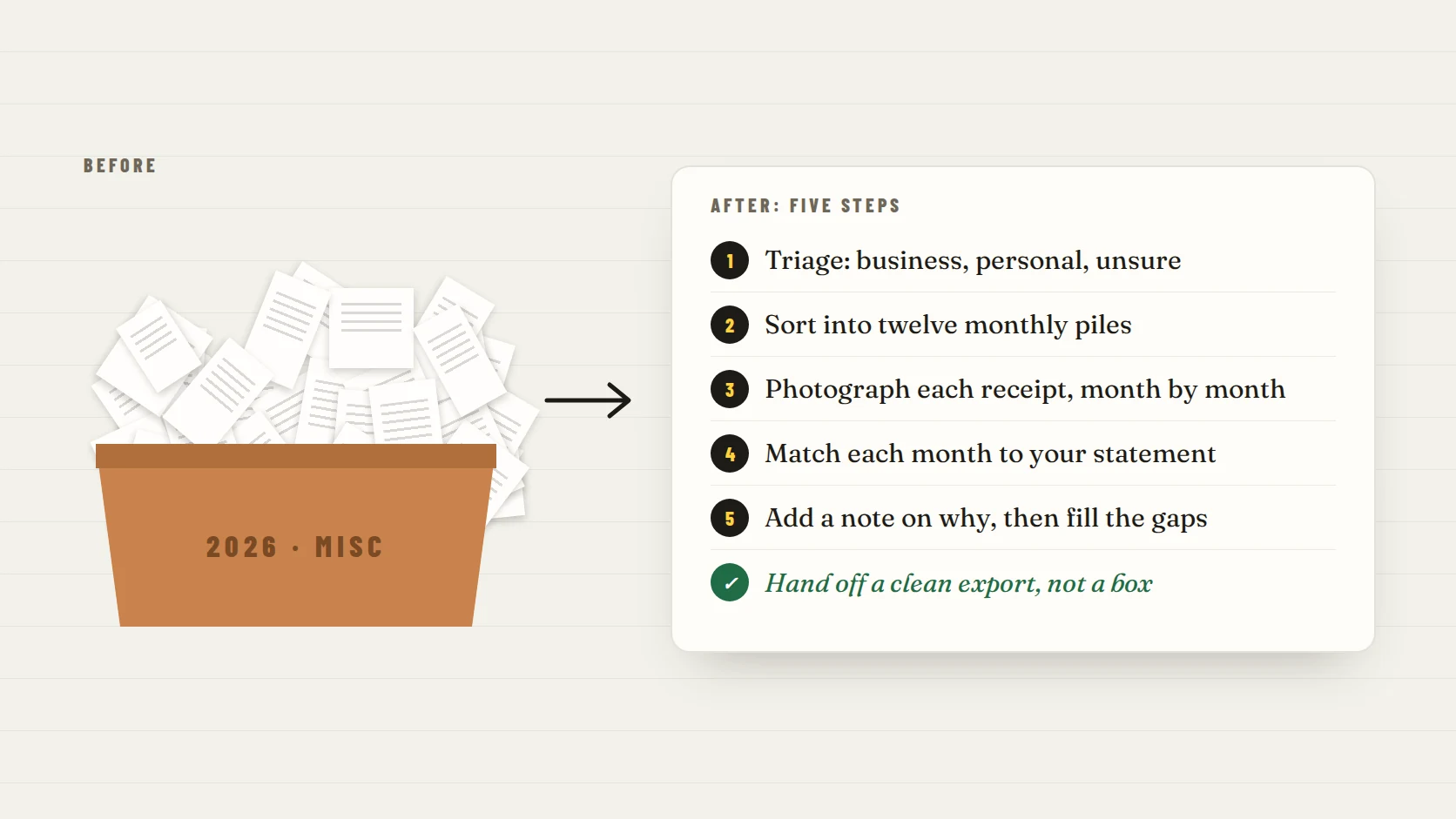
What's the most expensive thing you can hand your bookkeeper? A shoebox. You're paying for their time, and a box of crumpled receipts is pure time: unfolding, squinting, guessing and emailing you questions. If you're months behind, the cheapest fix is to sort it yourself first, while you can still remember what most of it was.
Here's the short version: clear a table, triage every receipt into business, personal or unsure, sort the business pile into twelve monthly stacks, photograph each month, match each month to your bank and card statements, and fill the gaps with notes and duplicate receipts. Don't shred anything yet. This guide walks through each step, with time estimates and what to do about faded or missing receipts.
The short answer: five steps from shoebox to clean records
| Step | What you do | Why it matters |
|---|---|---|
| 1. Triage | Split everything into business, personal and unsure | You only organize what matters, and nothing gets thrown out by mistake |
| 2. Sort by month | Make twelve stacks, January to December | Months match your statements, which makes finding gaps fast |
| 3. Photograph | Snap each business receipt, one month at a time | Faded paper stops being a risk, and everything becomes searchable |
| 4. Match | Compare each month with your bank and card statements | Shows which charges have a receipt and which are missing |
| 5. Fill the gaps | Add notes on why, find duplicates, list what is still unresolved | Turns a pile of paper into records your bookkeeper can use |
Don’t shred anything yet
Sorting and shredding are two different jobs. Finish the sort, check how long you need to keep each kind of record, and only then decide what goes. The IRS generally expects records to be kept for three years after you file, and longer in some situations.
Before you start: set up in 15 minutes
- A clear table and an uninterrupted block of time. For a year of receipts, plan on a few hours, possibly split over two sessions.
- Twelve envelopes, folders or sticky notes labeled January through December, plus three for Business, Personal and Unsure.
- Your bank and card statements for the same period, downloaded as PDFs or open in another window.
- Your phone with good light, or a scanner app, and a dark, plain surface to photograph receipts on.
- A notepad or notes app for the "unsure" list and the questions for your bookkeeper.
Start with the oldest months
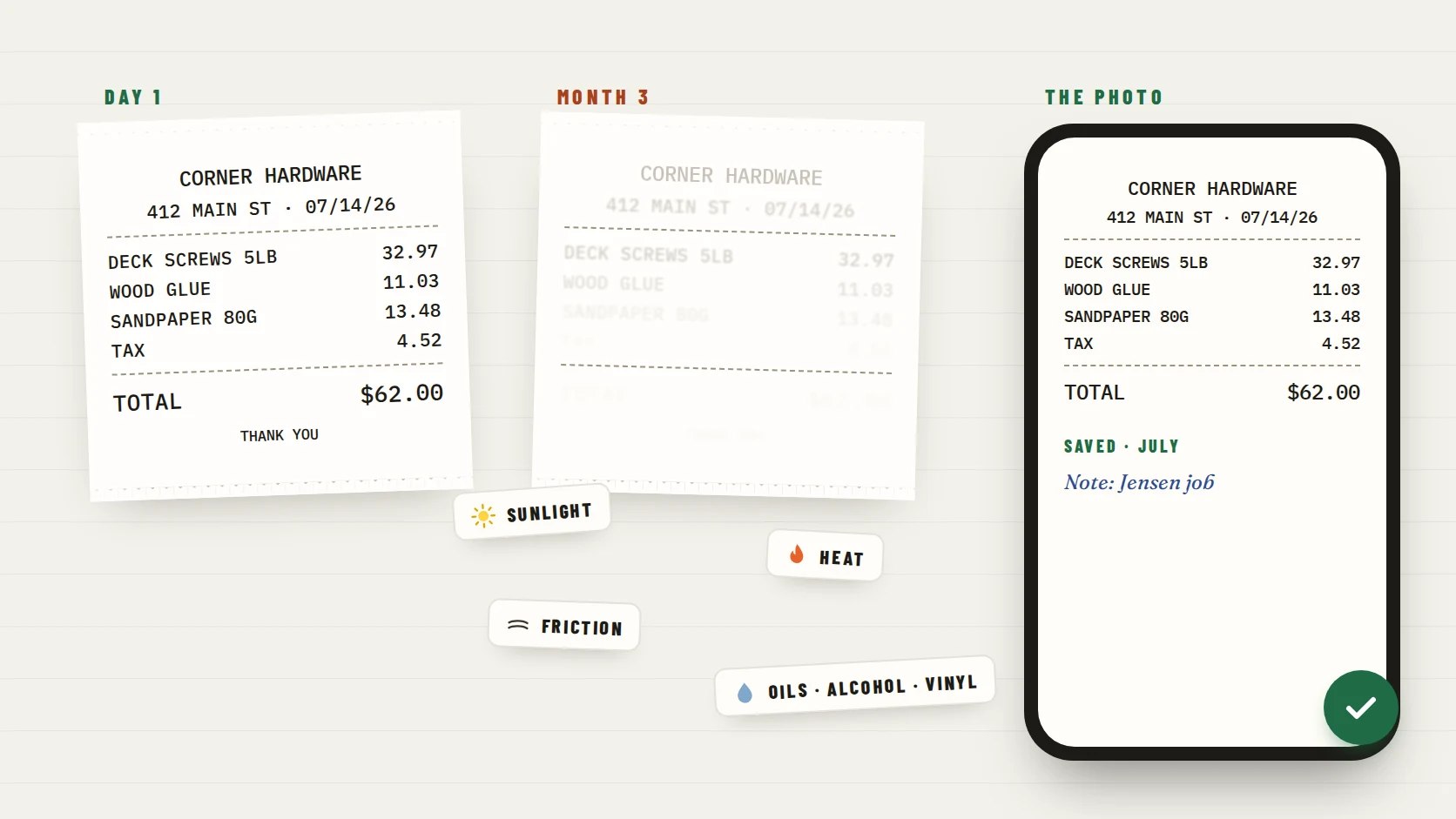
Thermal receipts fade with time, heat and friction, so the oldest ones are the most at risk. Photograph those first, even before you finish sorting the rest.
Step 1: Triage into business, personal and unsure
Go through the whole box once, quickly. Don't read every line yet; you're only deciding which pile each receipt belongs in. Unfold as you go, and flatten curled receipts under a book.
| Pile | What goes in it | What happens next |
|---|---|---|
| Business | Supplies, tools, software, client meals, travel, mileage-related costs, anything bought for work | Sorted, photographed and matched in Steps 2 to 5 |
| Personal | Groceries, household items, personal purchases | Set aside; keep until you have checked what records you need |
| Unsure | Mixed carts, faded receipts, anything you can’t place | Revisit in Step 5 with your statements and email |
| Duplicates | A card slip and an itemized receipt for the same purchase | Clip them together; the itemized receipt is the one that shows what you bought |
Mixed purchases
If one receipt has both business and personal items, keep it in the business pile and circle or note the business items. A short note now saves a confusing conversation later.
Step 2: Sort the business pile by month
Sort the business pile into twelve monthly stacks by the date printed on each receipt. Month is the most useful structure because it lines up with your bank statements, which makes Step 4 fast. If a receipt has no readable date, put it in Unsure; your statement can often tell you when it happened.
- Within each month, rough date order is enough. Perfection isn’t the goal.
- Keep invoices, order confirmations and printed email receipts in the same monthly stacks as paper receipts.
- Clip or band each month so the stacks don’t mix again.
Step 3: Photograph every business receipt, month by month
Digitize one month at a time so your photos stay in order. The IRS says that all requirements that apply to hard copy books and records also apply to electronic records, so a clear, complete photo is held to the same standard as the paper, and it won't keep fading.
- 01Lay each receipt flat on a dark, plain surface in even light, with no glare.
- 02Capture the whole receipt, from the store name at the top to the total and date at the bottom. Long receipts can take two photos.
- 03Check that the date, items and total are readable before moving to the next one.
- 04Save each photo into that month: a receipt app, or a cloud folder named like 2026-03, with files named by date, store and amount.
- 05For a receipt that is already faded, photograph whatever is still readable now and mark it for Step 5.
One receipt per photo
Photographing a whole stack at once feels faster, but it makes each receipt harder to read, search and match later. One receipt per photo is worth the extra seconds.
Step 4: Match each month to your statements
Now open one month of bank and card statements next to that month's receipts. Go down the statement line by line. This is where a shoebox turns into a record.
| Fictional statement line | Receipt found? | Action |
|---|---|---|
| 03/04 SQ *JMK LLC −84.00 | Yes | Matched: landscape supplies, Jensen job |
| 03/09 AMZN MKTP US −36.18 | No paper | Found the order confirmation in email |
| 03/15 TST* CORNER BISTRO −27.40 | Yes | Matched: lunch with a client; added a note on who and why |
| 03/22 POS 8812 WEST ST −58.90 | No | Added to the "still unresolved" list |
| 03/27 SHELL OIL 5521 −48.10 | Faded | Statement line saved with a note: fuel for site visits |
Statements show who you paid, when and how much, but often in cryptic shortened names, and never what you bought or why. The receipt supplies the what; your note supplies the why. IRS guidance says business-expense records should show the payee, amount, proof of payment, date and a description of what was bought, and that a combination of documents may be needed.
Step 5: Fill the gaps and add notes
- 01Add a one-line note to every business receipt while the month is in front of you: the client, the job or what it was for.
- 02Search your email for each missing charge by its exact amount, such as "58.90", and by the readable part of the merchant name. Online orders usually have a confirmation.
- 03Use store receipt tools where they exist. Walmart has an online receipt lookup for card purchases, and Target shows in-store purchases in your account when you paid with a card linked to it.
- 04Ask small businesses and suppliers to resend a receipt or invoice; many can look it up.
- 05For anything still missing or faded, keep the statement line with a note on what it was and why. The IRS’s own guidance on reconstructing records suggests asking your bank for past statements and suppliers for copies of invoices.
- 06Write a short "still unresolved" list for your bookkeeper instead of guessing.
Record organization, not tax advice
This guide is about getting records organized. Whether a particular expense is deductible, and whether a statement plus a note is enough for it, is a question for your tax professional.
What to hand your bookkeeper instead of a box
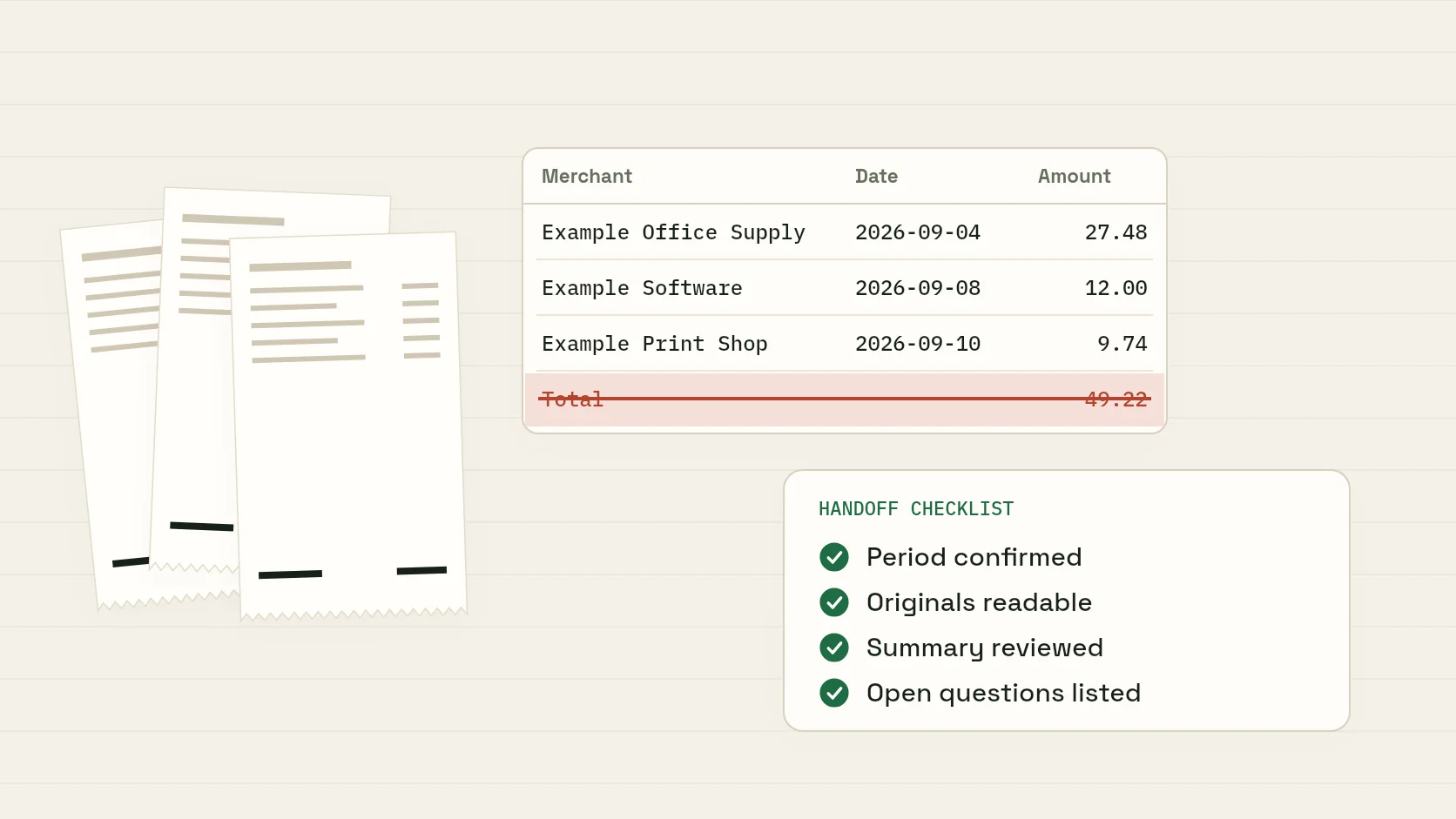
- The receipt photos, organized by month.
- A summary export, such as a CSV or PDF listing date, merchant and amount for each month.
- The notes on business purpose, attached to each receipt or included in the export.
- The short list of unresolved charges, with what you already tried.
- Separate business and personal statements, or business charges clearly marked if you used one account for both.
Ask first how your bookkeeper prefers to receive records. Some want a spreadsheet, some a shared folder, some access to an app. Answering their questions before they ask is what saves billable time.
After the sort: what to keep and what to shred
Once everything is photographed and matched, it's tempting to shred the whole box. Slow down. The IRS generally says to keep records for three years after you file, with longer periods in some situations, and your insurer or lender may want certain records kept longer. Whether you also need the paper originals after you have clear digital copies is worth asking your tax professional.
- Keep business records for at least the IRS retention period that applies to you.
- If you keep paper, store it flat in a cool, dark, dry place, one envelope per year or month.
- Shred personal receipts only once you are sure you don’t need them for returns, warranties or insurance.
- Keep a backup of your digital copies somewhere other than your phone.
How to never fill another shoebox
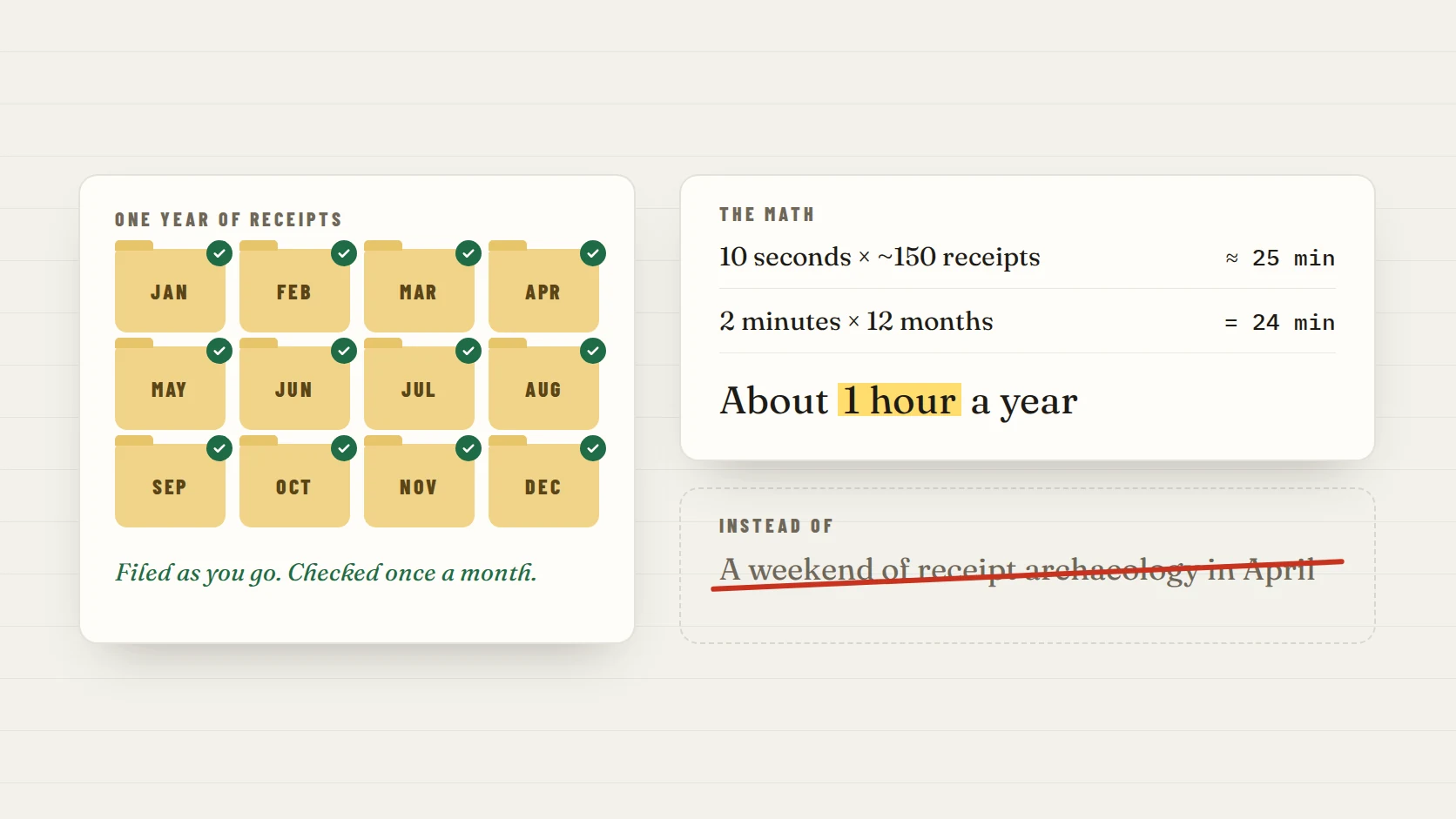
The shoebox forms because receipts get saved now and sorted "later." The fix is to do the sorting at the moment you get the receipt: photograph it the same day, add a word about why, and keep it in one place by month. Then spend two minutes once a month checking the month against your statement.
ReceiptNest is built for that habit. Snap a paper receipt or forward an email receipt, add a quick note, and it's organized by month, ready to export as a CSV or PDF for your bookkeeper. It never connects to your bank; you choose which receipts to keep. It works just as well for catching up: photograph your shoebox month by month and the sorting is done as you go.
FAQ
What is the fastest way to organize a shoebox of receipts?
Triage everything into business, personal and unsure, sort the business pile by month, photograph one month at a time, then match each month to your bank and card statements. Working month by month is faster than trying to sort and match the whole year at once.
How long does it take to sort a year of receipts?
It depends on how many receipts you have and how faded they are, but for many self-employed people a year of receipts takes a few hours, often best split into two sessions: one to triage and sort, one to photograph and match.
Can I throw away receipts after I scan them?
The IRS says all requirements that apply to hard copy records also apply to electronic records, so clear, complete scans are held to the same standard. Whether to also keep the paper is worth asking your tax professional, and you should keep the records themselves for the retention period that applies to you.
What should I do with receipts that have faded?
Photograph whatever is still readable right away, then find the matching charge on your statement, search your email for a digital copy, or ask the seller for a duplicate. Keep the statement line with a note on what the purchase was and why.
Should I sort receipts by month or by category?
Start by month. It matches your bank statements, which makes finding missing receipts much easier. Your bookkeeper or software can group by category later, and many receipt apps do both.
Is it worth paying a bookkeeper to sort my receipts?
It can be, but you are paying for their time, and a shoebox is mostly time. Doing the triage, monthly sort and notes yourself usually makes their work faster and the handoff smoother.
Take the next step with your receipts.
Start with a few receipts, check the extracted details, and inspect the export before handing records to someone else.